Dynamic Remarketing & GA4: The Expert Guide (2026)

Introduction: An Architecture Simplification
In December 2025, Google deployed a major update for GA4: the native activation of Dynamic Display Remarketing by capitalizing on existing Analytics implementation.
This feature simplifies the collection architecture for E-commerce advertisers. It allows unifying data flows between site analysis (GA4) and media activation (Google Ads), using events you are already collecting.
This novelty is an immediate opportunity to make your audiences more reliable and improve your campaign performance, by reducing tag redundancy.
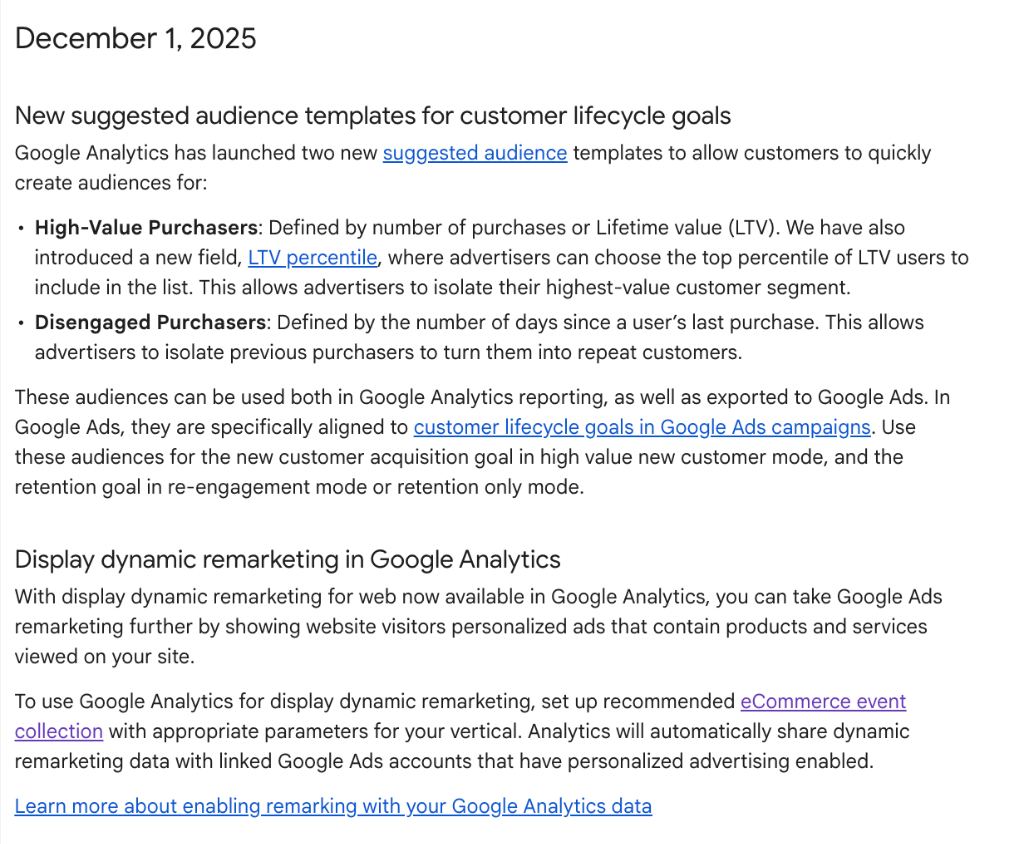
Source: Google Analytics Release Note, December 2025
Beyond Retargeting: Feeding Smart Bidding
Dynamic remarketing has two distinct functions in the current ecosystem:
- Activation (Retargeting): Personalizing advertising creatives (Display, YouTube) with products viewed or abandoned in the cart.
- Learning (Smart Bidding): This is a fundamental aspect. By transmitting structured signals (product ID, value, category), you allow bidding algorithms to better qualify user intent.
Technical Contribution
Without these dynamic signals, the algorithm optimizes on a generic visit. With these signals, it integrates the "value" of the visit (e.g., viewing a high-margin product vs. an entry-level product) to adjust bids.
Implementation Evolution
This update changes the deployment method by leveraging your existing setup.
Historical Approach
Previously, dynamic remarketing often required double tagging (GA4 Tag +
specific Google Ads Tag) and injection of dedicated variables (ecomm_prodid, ecomm_totalvalue), creating parallel technical
maintenance.
Unified Approach (GA4 Native)
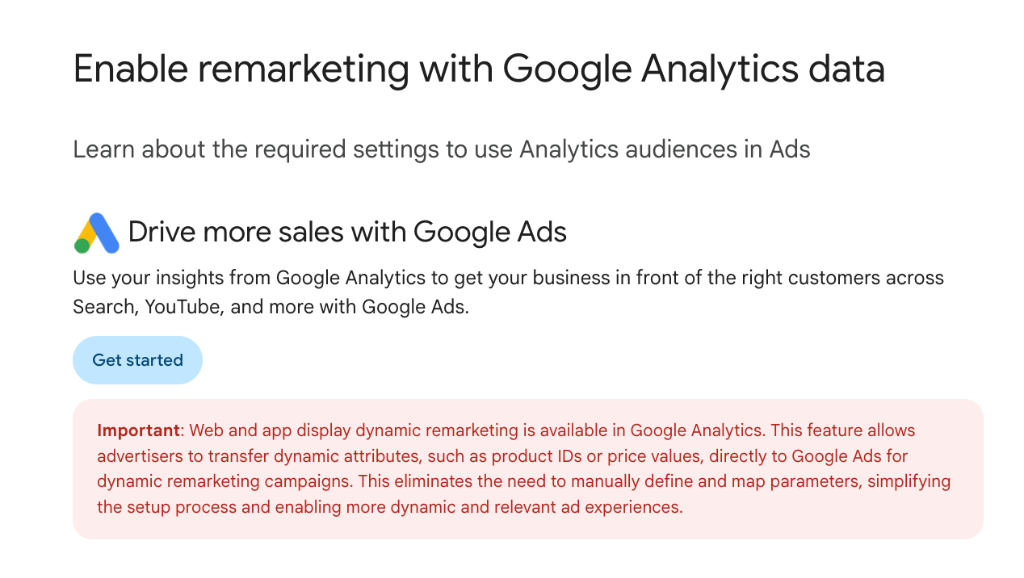
Google now proposes using standard GA4 E-commerce events to feed Google
Ads. If your tagging plan complies with recommended events (view_item, add_to_cart, purchase), Google Analytics
automatically translates this data into dynamic attributes for Google
Ads.
Essential Technical Prerequisites
Activation is not magic; it requires a healthy technical foundation. For this integration to work, four conditions must be met:
- Complete E-commerce Tagging: Your site must send
view_item,add_to_cart, andpurchaseevents with correct parameters (especially theitemsarray containingitem_idandprice). - Google Signals: The "Google Signals" feature must be enabled in GA4 data collection settings to allow cross-device and demographic tracking.
- GA4 - Google Ads Linking: Both properties must be linked, with the "Personalized Advertising" option enabled.
- User Attributes: Although optional for basic
display, sending
user_idsignificantly strengthens cross-device precision.
Point of Attention: ID Reconciliation (Match Rate)
The system's performance relies entirely on the Match Rate.
It is the system's ability to reconcile:
-
The
item_idcollected on the site (via DataLayer/GA4). - The product ID present in your Google Merchant Center (GMC) feed.
Frequent Risk (ID Mismatch)
If your site sends a technical ID (e.g., SKU-1234) and
your GMC feed uses a different format (e.g., SKU-1234-XL), the signal is rejected by Google Ads. Dynamic remarketing does
not activate because the system cannot link the visit to the catalog
product.
Technical Solutions
A robust architecture must anticipate this reconciliation:
- Level 1 (DataLayer): Expose the exact "Master" or EAN identifier that matches the feed.
- Level 2 (Merchant Center): Use "Feed Rules" to transform IDs.
- Level 3 (Google Tag Manager): Use Lookup Tables or Regex in GTM to harmonize IDs before sending to GA4.
💡 EdgeAngel's Opinion
Tracking implementation is evolving towards a "signal quality" logic.
Match Rate becomes a structural KPI. In a context of data scarcity, every collected signal must be actionable. An unreconciled product ID is a lost signal for your campaigns.
Our recommendation: Systematically audit the correspondence
between your GA4 events (items) and your Merchant Center
feed. It is the most direct technical lever to maximize your dynamic
campaign delivery.
So EdgeAngel, what should we do?
To make your dynamic remarketing via GA4 reliable:
1. Check Prerequisites
- Enable Google Signals in GA4 (Admin > Data Collection).
- Check the GA4 / Google Ads link and personalized advertising activation.
2. Audit Data Flow
-
Ensure your
view_itemandadd_to_cartevents contain theitemsparameter. -
Compare
item_idreported in GA4 DebugView with IDs from your Google Merchant Center feed. They must be strictly identical.
3. Activate Feature
- Once data is validated, activate Dynamic Remarketing from your GA4 tag or audience to start feeding your campaigns.
Need to go further?
EdgeAngel accompanies you to audit your GA4 / Google Ads setup or to pilot your acquisition campaigns. Our experts secure your data and activate performance levers adapted to your business.
More notes like this one?
We publish regularly on LinkedIn what we learn in the field. The algorithm doesn't favor us, so hit the bell to make sure nothing slips through.