
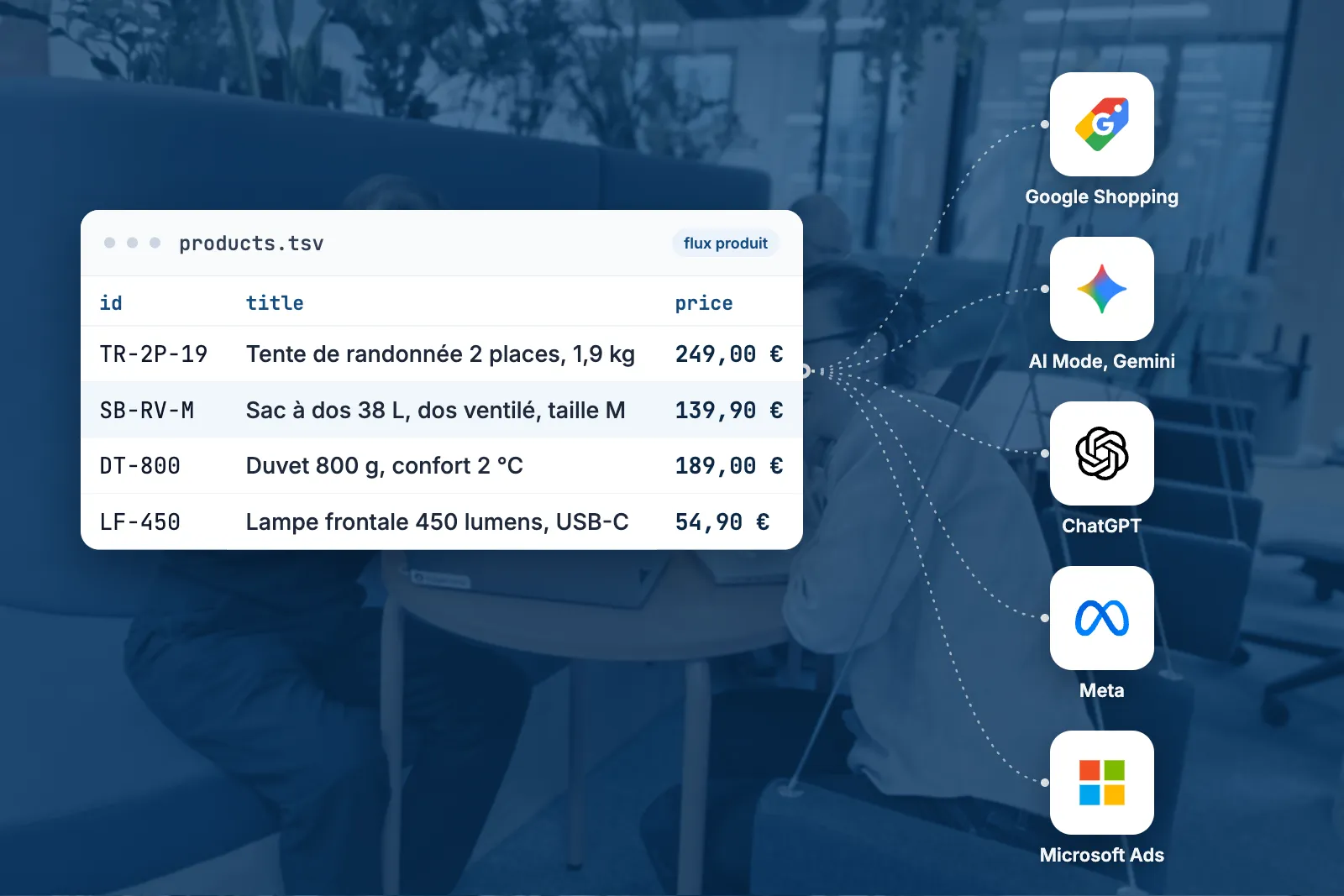
On Google Shopping and Performance Max, the quality of the product feed already weighs on campaign profitability. The feed is what tells Google which product to show, on which search, with which title, which image and which price.
The same file is becoming the entry point for your products into AI search: Google's AI Overviews, AI Mode, ChatGPT. It also powers the first purchases made by AI agents, which Google is enabling in the United States, product by product, through its UCP protocol [1].
Yet among the merchants who come to us, the feed is still treated as a technical topic: configured when the site launched, rarely reopened, judged on its approval rate. We think it belongs in the hands of marketing teams, just like the campaigns it feeds.
What a product feed is today
A CSV or XML file that lists your catalogue, one row per product: identifier, title, description, price, stock, images, brand, GTIN (the manufacturer's barcode) [2]. Your e-commerce platform's module generates it, or a tool such as Lengow. You then send it to Google Merchant Center, to the Meta catalogue [3] and to the other ad platforms that run product campaigns.
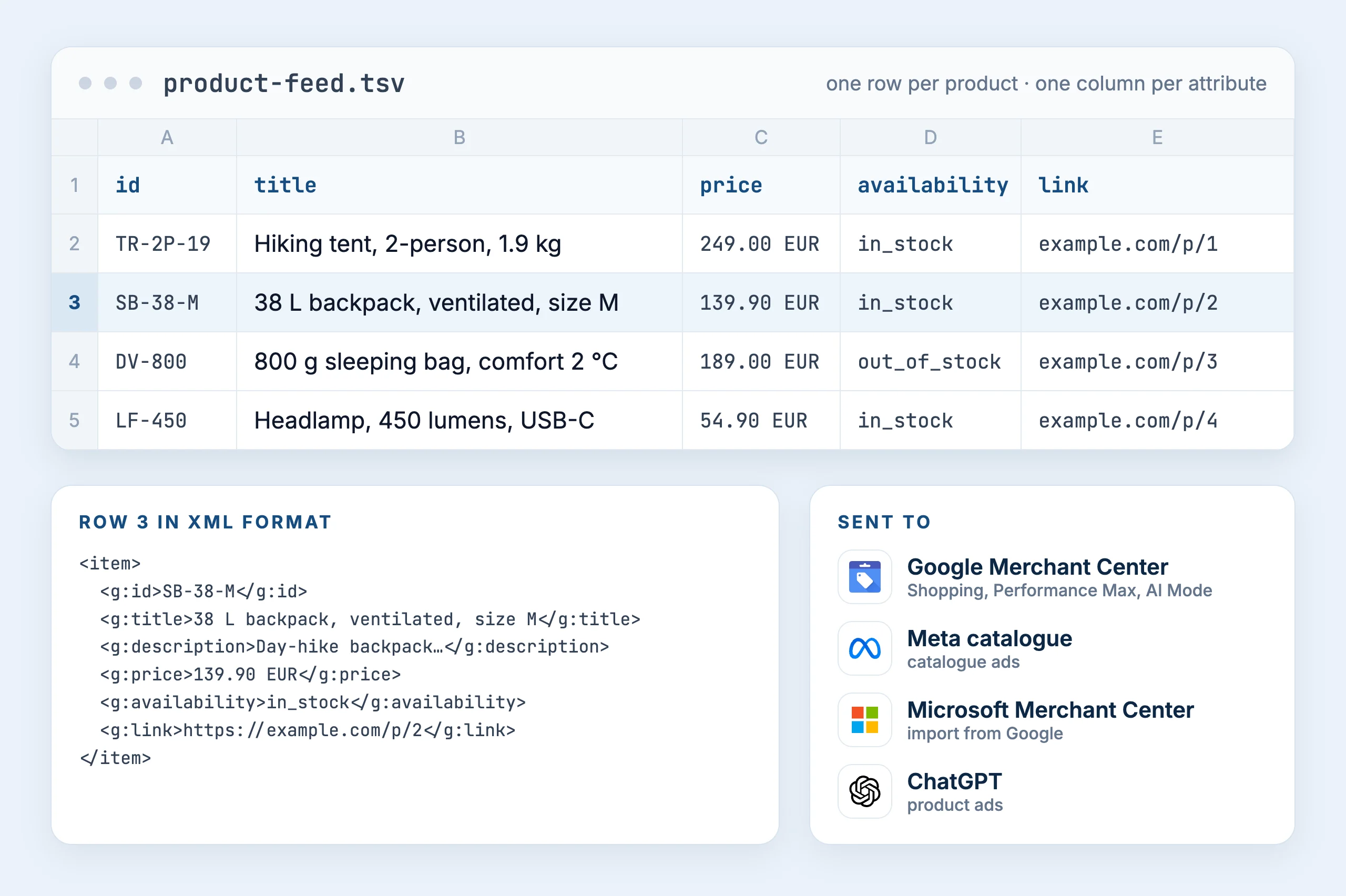
Its quality already matters, for two reasons.
The first is the context it gives the ad platforms. On Shopping, you do not buy keywords: Google relies on feed data to choose the searches on which to show a product [4]. A title that leaves out the material or the size, a description cut off mid-sentence, and the product shows up on fewer queries, or on the wrong ones.
The second is competition. When ten sites sell the same product, or the same type of product, Google puts them side by side on the same search. What makes people click your ad rather than the next one comes from the feed: a lifestyle photo rather than a plain packshot, stars when your reviews are submitted [5], a clear price and clear shipping costs.
Why we think the feed will become the standard for AI search
Google already uses it in its AI answers. Google launched AI Overviews and AI Mode in France on 22 July 2026 [6]. Shopping ads built from the feed do not yet appear inside these answers, whereas they already do in the United States and eleven other countries [7]. Our reading is that they will reach France in the coming months, like most of Google's AI features, launched first in the United States and then rolled out in Europe.
Google is extending the format for conversational search. New fields were announced on 11 January 2026 [8] and have been available since May 2026 [9]: questions and answers, related products, manuals, variants, popularity [10]. Google is evolving the feed for AI rather than creating another format.
![Google Merchant Center Help, How to use conversational attributes: table of the six attributes, question and answer [question_and_answer], document link [document_link], related product [related_product], item group title [item_group_title], variant option [variant_option] and popularity rank [popularity_rank], with their use and a sample value.](/assets/notes/flux-produit-recherche-ia/doc-attributs-conversationnels-en.webp)
The format is proven at very large scale. It powers Google's Shopping Graph, 50 billion product listings, 2 billion of which are updated every hour [11]. Merchants already know how to produce it, and so do their platforms. We see no reason for the market to reinvent the wheel.
It costs far less to process. On one client's product page, the loaded page weighs about 2 million characters of HTML for 4,000 characters of visible text. The same product's row in the feed takes fewer than 1,000, price and stock included. To read the page, a model has to sort through JavaScript, layout code and measurement scripts; the feed hands it the useful information directly. It is the logic of crawl budget in SEO: Google explores a technically clean site more readily, because it costs less. Our reading is that crawlers and AI agents will make the same calculation, and that models will also rely on feeds for their training.
The platforms are converging. Microsoft Advertising imports Google Merchant Center offers directly [12]. Meta reads the same type of file for its catalogue ads [3]. ChatGPT Ads builds its product ads from a feed [13], in a format that accepts the columns of a Google Shopping feed [14].
All these signals point the same way: the product feed carries more and more weight in an e-commerce site's visibility, in campaigns, in AI search and, tomorrow, in agent-led purchasing.
The key elements of a product feed
The historical fields, and their subtleties
Google's specification lists several dozen attributes [2]. These weigh most on your campaigns.
| Field | Its role | Google benchmark |
|---|---|---|
title | the searches the product shows up on; searched terms first, then brand, material, size, colour | 150 characters at most [15] |
description | what Google understands about the product | up to 5,000 characters [16] |
additional_image_link | click-through rate: angles, details, product in use | up to 10 images [17] |
product_highlight | the selling points read at a glance | 4 to 6 recommended [18] |
| product reviews | the stars on the ad | from 50 reviews, source updated monthly [5] |
item_group_id | links each variant (size, colour) to its parent product | product specification [2] |
custom_label | your own groupings, for example by margin band | also accepted by ChatGPT Ads [13] |
Some structural choices have a direct effect on campaigns. The first: one row per product, or one row per variant. Moving to variant level makes each size targetable, which helps clear low stock on a specific size. On one of our accounts, the catalogue went from about 1,600 to 3,000 rows per language. Identifiers change in the process, which affects running campaigns: it has to be prepared with the team that manages them.
The same goes for margin, absent from the feed by default. Two products with the same revenue do not bring in the same profit, and a campaign managed on ROAS pushes them in the same way. A label per margin band lets you set them different targets, especially useful when margins vary sharply from one range to another.
Dynamic remarketing: the same identifier in the dataLayer and in the feed
When a visitor views a product page, the site sends the product identifier to GA4, Google Ads and Meta through the dataLayer, the data layer where the page records what just happened. The ad platform then looks up that identifier in the feed to show the right product again. Google requires the two to always match [19], Meta requires an exact match [3].
On a PrestaShop site selling in France and Spain, Google Ads initially recognised none of the products viewed.
| Source | Identifier of the same product |
|---|---|
| site database | product 12474, variant 27481 |
| dataLayer | 12474-27481 |
| Merchant Center and Meta feed | FR12474 |
The country prefix was missing on the site side, the variant did not exist in the feed, and a separator had slipped in between the two. Once the identifiers were aligned in GA4, the share of mismatched products fell from 100% to 32%, and kept falling as the feed updated. We detail the method in our note on dynamic remarketing and GA4.
The new fields for AI search
These are the six conversational attributes Google has added to the specification [10]. Most merchants already have the material to fill them in.
| Field | What it conveys | Where to find the material |
|---|---|---|
question_and_answer | frequently asked questions about the product and their answers | customer service, FAQ, reviews |
related_product | accessory, required part, product often bought with it | the site's cross-selling |
document_link | a PDF: manual, assembly instructions | technical sheets already published |
item_group_title | the name shared by all variants | the product name without size or colour |
variant_option | what sets each variant apart | e-commerce platform attributes |
popularity_rank | the product's popularity within the catalogue | sales history |
They are optional, have no effect on approval, and Google recommends sending them through a supplemental data source, without touching the primary feed [10]. As of 23 September 2026, the merchants who contact us do not yet submit questions and answers or related products: we include them in our recommendations from the first audit.
Our recommendations: a routine to audit and optimise the feed
We recommend auditing the feed at regular intervals, then optimising it. Here are the points we check first. The figures come from a specialist retailer on Magento, audited on 23 September 2026: 97.8% of products approved, for a feed that said very little about its products.
Errors and disapproved products. A disapproved product stops serving, in Shopping and in Performance Max alike. Merchant Center lists these issues product by product, with their cause. It is the first screen to open, and to monitor over time: a change to the site or the export can bring up new ones overnight.
The description. Often neglected. Check that the export module does not cap the number of characters. On the Magento account, descriptions stopped at 300 characters, while Google accepts 5,000 [16] and the site's product page showed about four times as many. That much context lost for showing up on the right searches.
Images. On the same account, not a single additional image across 8,716 products, while Google accepts up to ten per product [17] and the photos existed on the site. The main image decides the first look at the ad. Additional images show the product from other angles, in detail or in use, and give Google more material to present it.
Price and shipping. Merchant Center shows, product by product, how your price compares with that of other merchants selling the same product, with a benchmark price [20]. Revisiting a price or a shipping policy on the products where you lag behind improves their performance against competitors. The subject goes beyond feed optimisation: it touches the merchant's business model, and is decided with the commercial teams.
The match between the dataLayer and the feed. On every product view, add to cart or purchase, the site sends an identifier to the ad platforms. If it does not match the one in the feed, the platform cannot tell which product it is: dynamic remarketing audiences empty out, and product campaigns lose part of the signals they learn from. The diagnosis compares, platform by platform, what the site sends and what the feed contains, then traces back to the cause: e-commerce module, GTM, consent.
A one-off audit ages quickly: one update to the export module, and descriptions are truncated again. Whatever the size of the catalogue, we recommend connecting an AI to Merchant Center, with the right instructions to audit and optimise the feed. The connection goes through an MCP server, a connector that gives the agent access to the catalogue as if it were a spreadsheet.
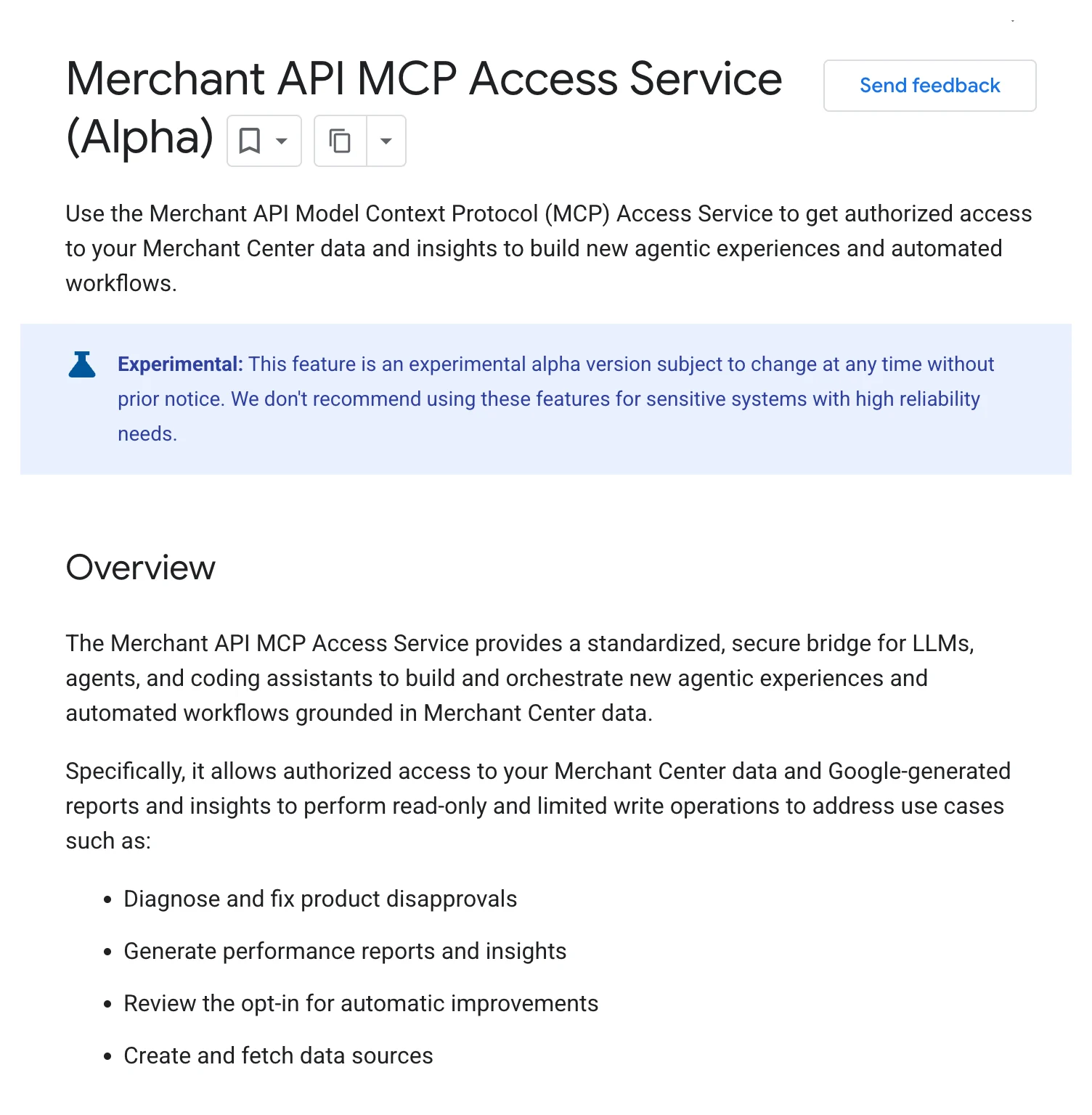
Google opened its own in alpha in May 2026, focused on reading data and diagnosing disapproved products [21][9]. We have built ours, which goes further for this use case: it reviews the whole catalogue attribute by attribute, relies on our audit instructions to rank fixes by impact, and raises an alert as soon as an indicator drops (number of products, truncated descriptions, match rate). This is what we do for our clients, and the figures in this note come from it.
For more advanced teams, we recommend storing these readings in a data warehouse, with their history. Google already offers a transfer of price competitiveness data to BigQuery [20]. You can then set feed quality, the change in your prices against competitors and your business results side by side, and measure what each fix actually brought in.
Getting support on your product feed
The feed sits at the crossroads of two of our practices.
Our SEA team manages your Google Ads and Microsoft Ads campaigns, Shopping and Performance Max included. It audits the feed together with the account, because that is where what campaigns can optimise is decided: descriptions, images, margin labels, conversational attributes, match with the dataLayer.
Our AI team builds the agent that monitors the feed and the warehouse that keeps its history, on your own tools and in your own repository.
Sources and references
- Merchant Center Help, About the Universal Commerce Protocol and UCP-powered checkout: native_commerce attribute, eligibility in the United States, Canada and Australia. support.google.com/merchants/answer/16837055
- Merchant Center Help, Product data specification. support.google.com/merchants/answer/7052112
- Meta for Developers, Catalog reference: “For dynamic ads, this ID must exactly match the content ID for the same item in your Meta Pixel”. developers.facebook.com/docs/marketing-api/catalog/reference/
- Google Ads Help, About Shopping ads: “Shopping ads use your existing Merchant Center product data (not keywords) to decide how and where to show your ads”. support.google.com/google-ads/answer/2454022
- Merchant Center Help, Product Ratings eligibility: at least 50 reviews, source updated at least monthly. support.google.com/merchants/answer/14549080
- Abondance, launch of AI Overviews and AI Mode in France, 22 July 2026. www.abondance.com/20260722-2640402-lancement-officielle-ai-overviews-france.html
- Google Ads Help, About ads and AI Overviews: Shopping ads within AI Overviews in English in 12 countries including the United States, above and below AI Overviews in every market where they exist. support.google.com/google-ads/answer/16297775
- Google, announcement of the Universal Commerce Protocol and new Merchant Center attributes, 11 January 2026. blog.google/products/ads-commerce/agentic-commerce-ai-tools-protocol-retailers-platforms/
- Google for Developers, Merchant API, Latest updates, May 2026 section: MCP service in alpha and new conversational attributes available. developers.google.com/merchant/api/latest-updates
- Merchant Center Help, How to use conversational attributes (optional, supplemental data source recommended, no effect on approval). support.google.com/merchants/answer/17085370
- Google, shopping announcement of 13 November 2025: “50 billion product listings, 2 billion of which are updated every hour”. blog.google/products-and-platforms/products/shopping/agentic-checkout-holiday-ai-shopping/
- Microsoft Advertising, Import your Google Merchant Center product offers to Microsoft Merchant Center. help.ads.microsoft.com/apex/index/3/en/56870
- OpenAI Developers, Ads, Product Feeds: a CSV file with one row per product or variant, custom labels in ads_metadata. developers.openai.com/ads/product-feeds
- OpenAI, Product feed specification: native or Google-compatible format. developers.openai.com/commerce/specs/feed
- Merchant Center Help, Title [title]: 1 to 150 characters. support.google.com/merchants/answer/6324415
- Merchant Center Help, Description [description]: 1 to 5,000 characters. support.google.com/merchants/answer/6324468
- Merchant Center Help, Additional image link: up to 10 additional images. support.google.com/merchants/answer/6324370
- Merchant Center Help, Product highlight: 4 to 6 recommended, 150 characters each. support.google.com/merchants/answer/9216100
- Google Ads Help, Dynamic remarketing events and parameters: “The entries in your feed attributes and the corresponding parameters in the event snippet should always match”. support.google.com/google-ads/answer/7305793
- Merchant Center Help, price competitiveness report: benchmark price per product, support for pricing and bidding decisions, export to BigQuery. support.google.com/merchants/answer/9626903
- Google for Developers, Merchant API MCP Access Service (Alpha): access to Merchant Center data, read operations and limited writes. developers.google.com/merchant/api/guides/agentic-tools/merchant-data-mcp
The examples in sections 02, 03 and 04 come from our 2026 assignments and from a reading of Merchant Center through the API on 23 September 2026. Clients are not named.
Let's talk
Want to know what your feed says about your products, and whether your identifiers match? We audit it with you.